
Getting started & setup
Quick access menu
In short
This guide explains Quick access menu in the Getting started & setup area of ClinicSoftware. It provides a clear operational explanation of how the capability works, then outlines the practical benefits for saving staff time, converting clients and leads, and protecting clinic revenue.
On this page
Overview
This guide explains Quick access menu in the Getting started & setup area of ClinicSoftware. It provides a clear operational explanation of how the capability works, then outlines the practical benefits for saving staff time, converting clients and leads, and protecting clinic revenue.
How it works
From this page, you can configure the items shown in the quick access menu.
The quick access menu contains shortcuts to various admin area pages and other features.
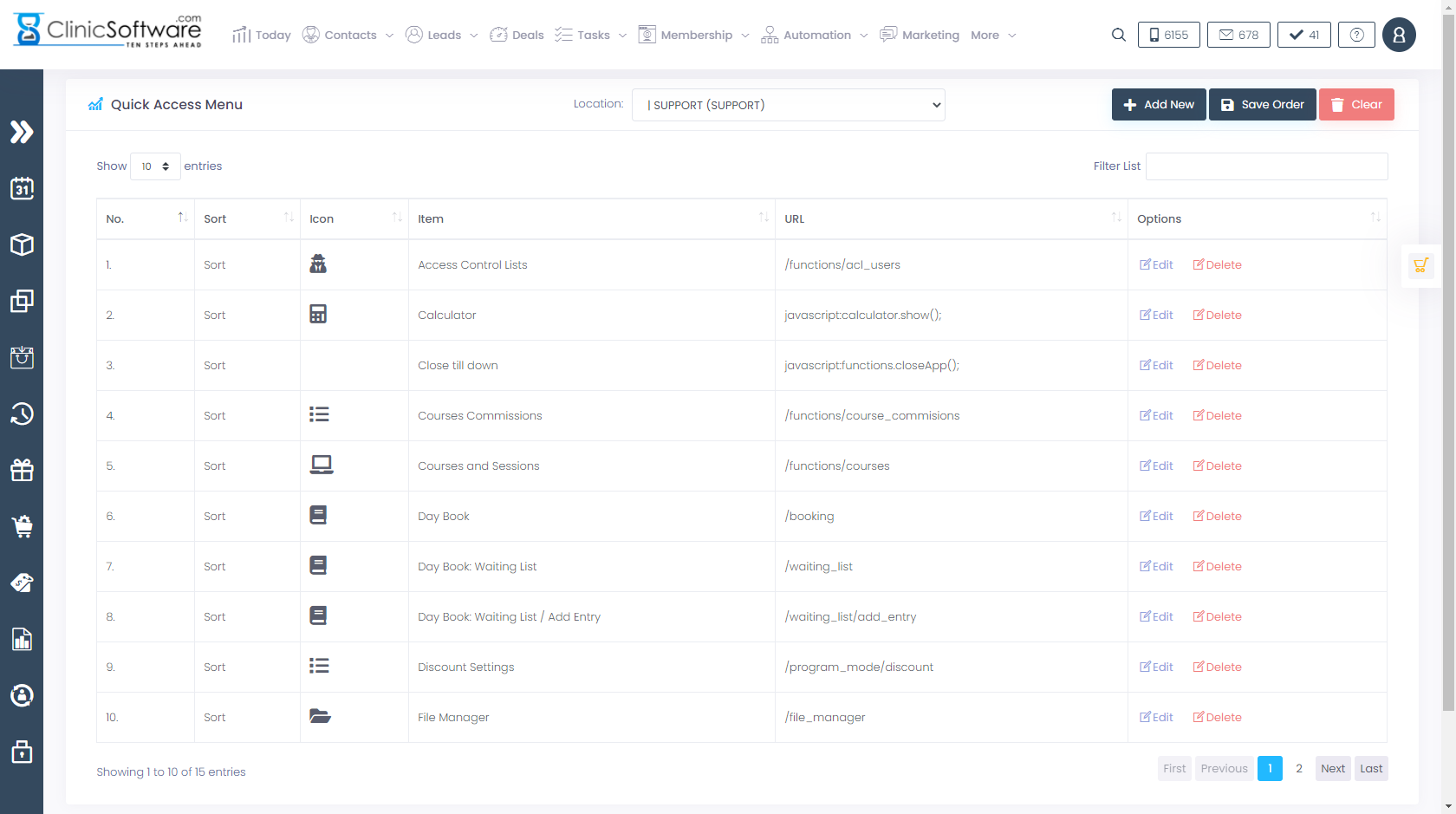
The quick access menu is configured on a user basis; each staff when he/she logs in to the system will have their own quick access menu.
To configure the quick access menu for a different user, select the user from the top right drop box.

To filter the list / search for an item, use the “Filter List” field from the top section of the page.
Each item of the list can be rearranged to the desired display order by clicking on the “Sort” cell of the item and then positioning the item to the desired position while holding down the left mouse button.

After you have arranged the items in order, select the “Save Order” button to save the changes.

To clear the existing items list and start from the beginning, select the “Clear” button.

To modify or delete an existing item, use the item’s “Edit” and “Delete” buttons.

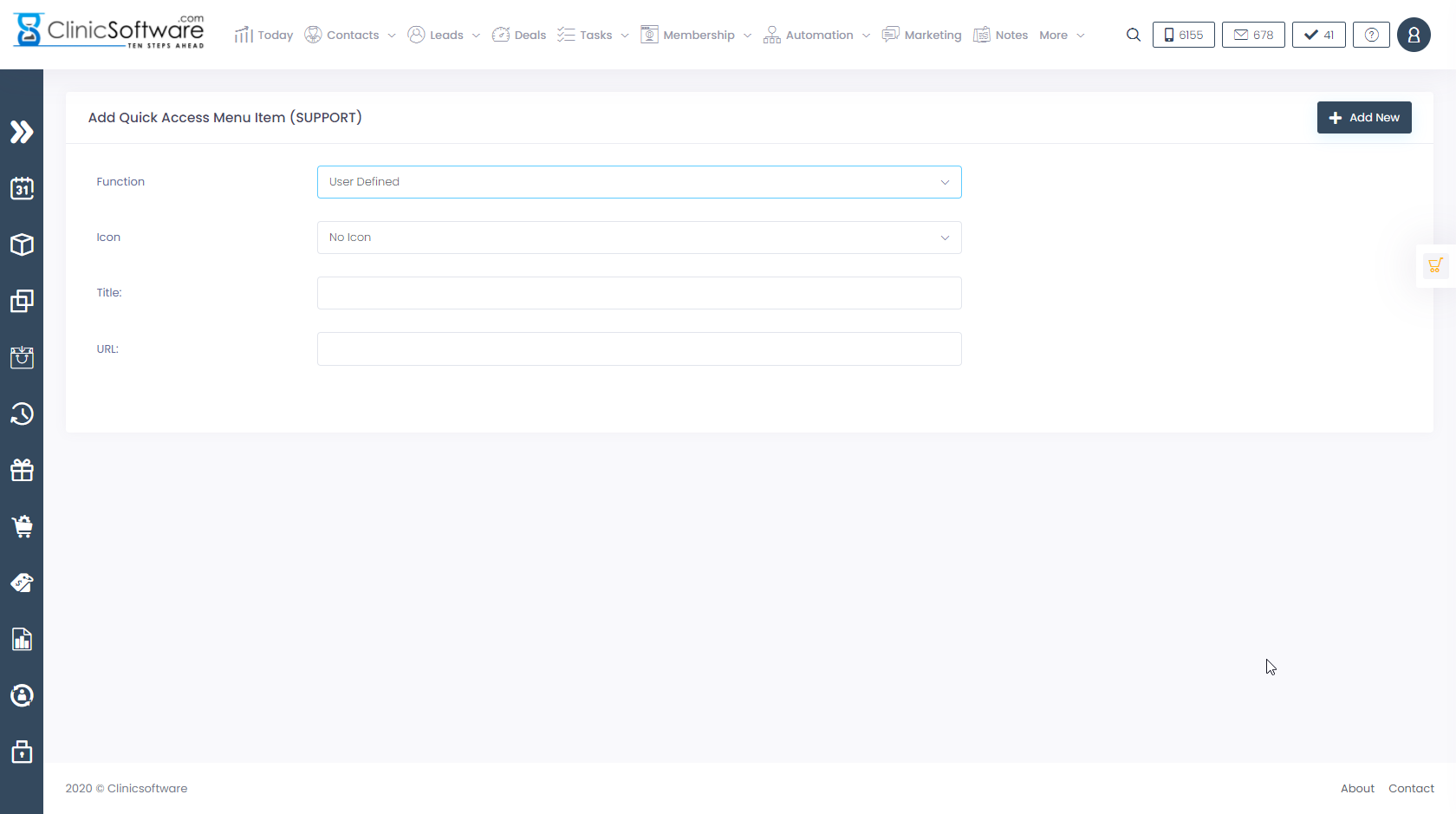
To add a new item to the list, select the “Add New” button.

Select the function (admin page, other) and icon and then select the “Add Item” button.
Benefits for your clinic
- Save time: Standardises secure access for Quick access menu, reducing time spent recovering accounts or resolving permission issues.
- Win clients and leads: Clients and staff trust a securely run clinic, which supports confidence during onboarding and ongoing care.
- Generate revenue: Stronger access control reduces operational risk and protects the business systems that generate and record clinic income.